Two powerful views
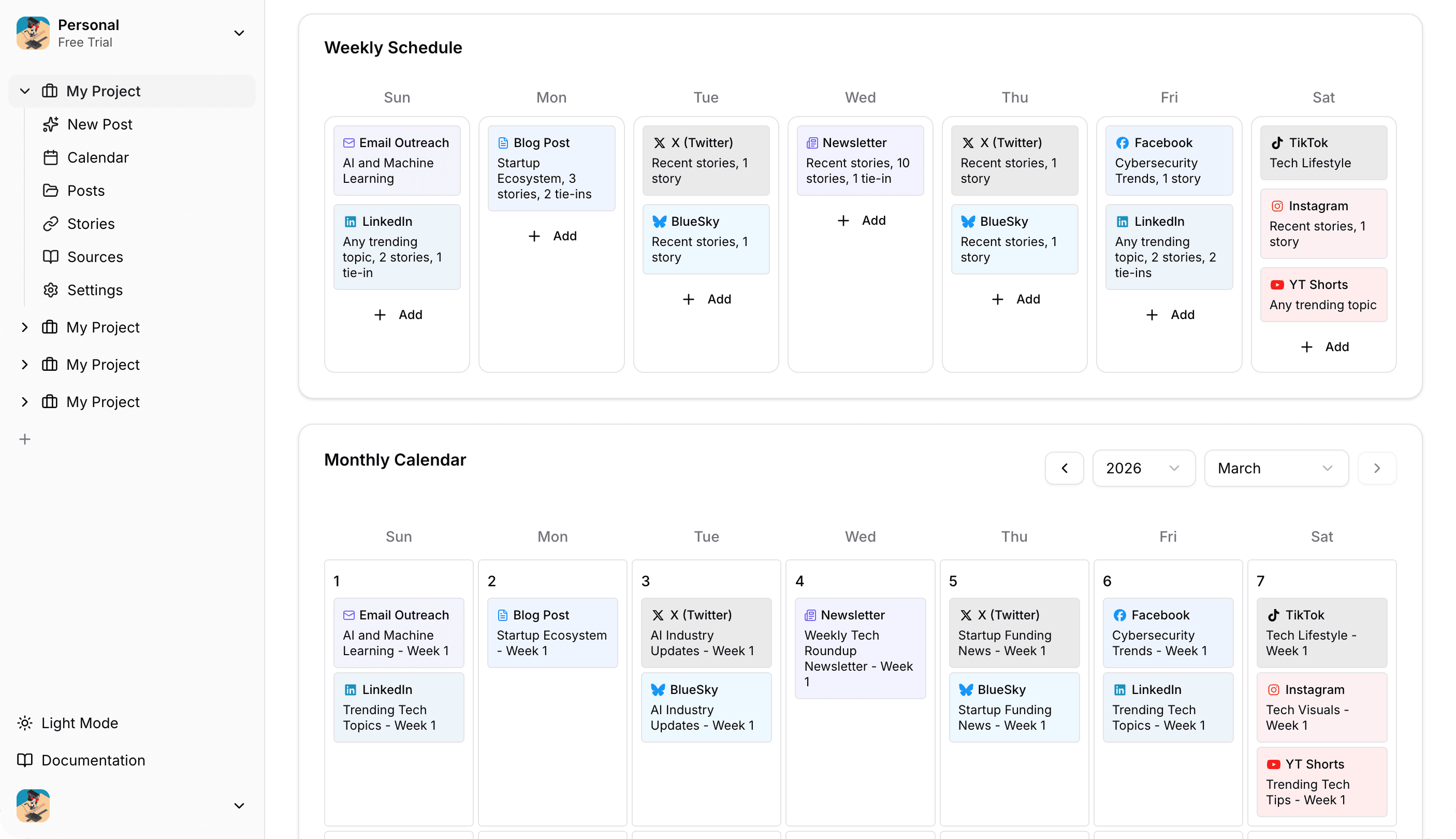
See all scheduled posts organized by day of the week (Sunday through Saturday). Each scheduled post shows content type, topic information, story count, and tie-in count. Add, edit, or delete schedules directly from the weekly view.
Visual calendar showing generated content as colored cards. Navigate between months, click any date to generate content or view existing content. See your entire content pipeline at a glance.
Key features
Scheduled post management
Create, edit, and delete scheduled posts directly from the calendar. See all your automation in one place.
Generated content organization
All generated content appears on the calendar with content type icons, descriptions, and metadata visible in tooltips.
Content preview and editing
Click any content item to preview in a modal. Cmd/Ctrl+Click to open in a new tab, Shift+Click to navigate to full page for editing.
Manual content generation
Generate content for specific dates on demand. Click any calendar day and select "Generate Content..." to create content for all scheduled posts on that day.
Content history tracking
Navigate to previous months to see historical content. All generated content is preserved and visible in the calendar.
Progress indicators
Real-time progress updates during content generation. See generation status, content count, and success/error notifications.
Your content workflow
1. Set up schedules
Configure weekly or monthly schedules for automatic content generation. Choose specific days, content types, topics, and story counts.
2. Review generated content
Content is automatically generated on schedule and appears on the calendar. Click to preview, edit, or publish when ready.
3. Edit and publish
Make any adjustments needed, then publish directly from the calendar or export for manual distribution.